












Live photo wall for events
Your guests’ photos, on the big screen in seconds.
Guests scan a QR code at the venue and add photos and short videos from their phone, with no app to install.
Your event is ready in about a minute.















Guests scan the code in the corner. Their photos play here within seconds.
Every phone in the room is a camera for the wall.
Guests shoot from the dance floor, the tables and the bar, and the screen shows the night from every angle.









From sign-up to slideshow in three steps.

- 1
Create your event
Sign up, pick the occasion and add the names. It’s ready in about a minute.
- 2
Put out the QR, open the wall
Print the fold-in-half table cards with your QR code, then open the slideshow on the TV or projector.
- 3
Guests share, it plays live
Guests scan, take a photo or video, and it’s on the big screen within seconds.
One wall, any occasion.
- WeddingTemplates and stickers with both your names and initials.
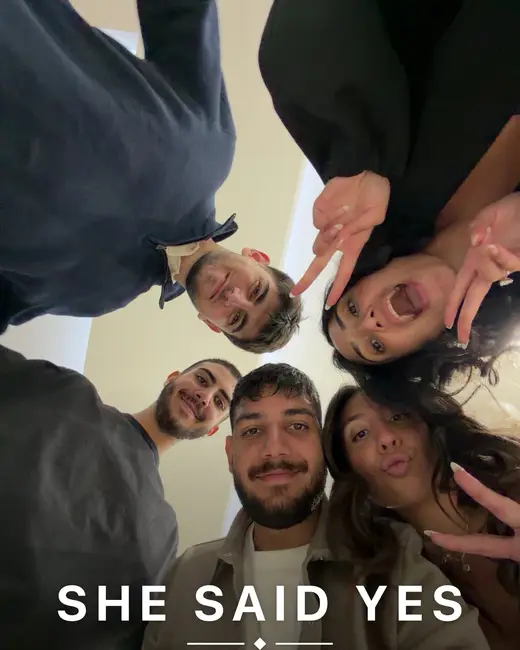
- EngagementFriends’ photos of the night, playing while the party goes on.
- BirthdayEvery guest’s angle on the cake, the candles and the dance floor.
- Bar or bat mitzvahFamily and friends share from their seats and from the dance floor.
- Baby showerPhotos and short clips from the whole afternoon, on one screen.
- AnniversaryGuests can add photos from their phone’s library, not just tonight’s.
- Company eventTeam events and launches, with the host deciding what stays on screen.
- PartyAny night with a TV and a room full of phones.
Built for both sides of the room.
Guests get a camera and an editor in their browser. You get a slideshow that runs itself and one page to manage it.

On the guest’s phone
A camera in the browser
Photo and video modes, with the front or back camera. Nothing to download.
Templates and stickers
An Instagram-style editor with stickers personalized with the couple’s names and initials.
Short videos
Trim a clip to up to 20 seconds and choose whether the sound plays.
Your uploads
Guests see everything they shared and can take their own photo off the screen.
Every photo, after the party
One link shows guests everything from the screen. They save one photo, a few, or all of them at once, and on iPhone they go straight into Photos.

For the host
Every screen in sync
Run several TVs or projectors at once. They all show the same photo at the same moment.
A slideshow that moves
Varied transitions, a tilted polaroid drop for new photos and a countdown ring to the next one.
A page to manage it all
Photos grouped by guest name. Hide, delete or download them one by one or in a batch, and put photos shared twice side by side to keep one.
Printable table cards
Cards with your QR code that fold in half and stand on each table.
You decide what’s on the screen.
- Hide or delete anything
- From the manage page, one photo at a time or a whole batch.
- Hidden stays hidden
- It never plays on the screen. Show it again whenever you like.
- Guests can take theirs back
- From “Your uploads” on their phone, a guest can take their own photo off the screen.
Questions, answered.
Do guests need to install an app?
No. They scan the QR code and everything opens in their phone’s browser: the camera, the editor and the upload.
Which phones does it work on?
Any modern phone browser works.
How many screens can I use?
As many as you like. Every TV or projector stays in sync and shows the same photo at the same time.
Can guests share videos?
Yes. Guests trim each clip to up to 20 seconds and choose whether the sound is on or off.
What if something shouldn’t be on the screen?
Hide or delete it from the manage page, one at a time or in a batch. Hidden items never show on screen, and guests can take their own uploads back from “Your uploads”.
Can I download the photos?
Yes, and so can your guests. Turn on the photo page for guests and share its link: they can save one photo, pick a few, or download them all in one go. On iPhone, photos save straight into the Photos app. From the manage page you can also download the original of any photo, or the version with its stickers.
What if the same photo is shared twice?
The manage page finds copies of the same photo, even re-saved ones, and shows them side by side so you can keep one. Guests’ downloads leave copies out on their own, and a version with stickers always counts as its own photo.
Set up your photo wall in about a minute.
Free while in early access.